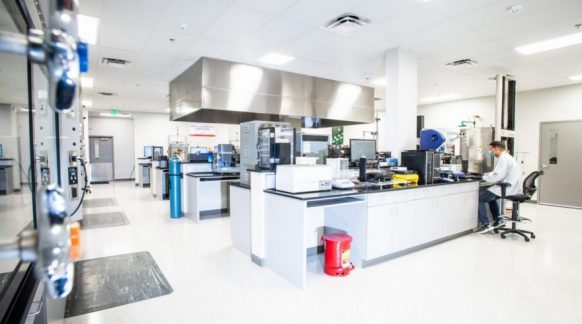
Isola Opens Expanded R&D and Analytical Laboratory at New Global Headquarters & Manufacturing Facility
CHANDLER, Ariz. – Isola, designer and developer of copper-clad laminates and fabrication materials for multi-layer printed circuit boards (PCBs), has a new facility in the Phoenix Valley. Isola’s R&D and Analytical Laboratory has officially opened the company’s new global headquarters in Chandler, Ariz.
Isola Supports High Speed Digital Circuits at IPC APEX EXPO 2022
Isola Group (www.isola-group.com), a leading global manufacturer of copper-clad laminates and dielectric prepregs for printed circuit boards (PCBs), will be on hand at the IPC APEX EXPO 2022 exhibition with examples of its high-performance circuit materials for high speed digital circuits, including Tachyon®…
PCB007 Interview with Travis Kelly: Isola Responding to the Market
Feature Interview by the I-Connect Editorial Team in July, 2021. Interview with Isola’s Travis Kelly overviewing many the important topics that the industry is facing, like how the global supply chain is being strained by materials, and what companies are trying to do…